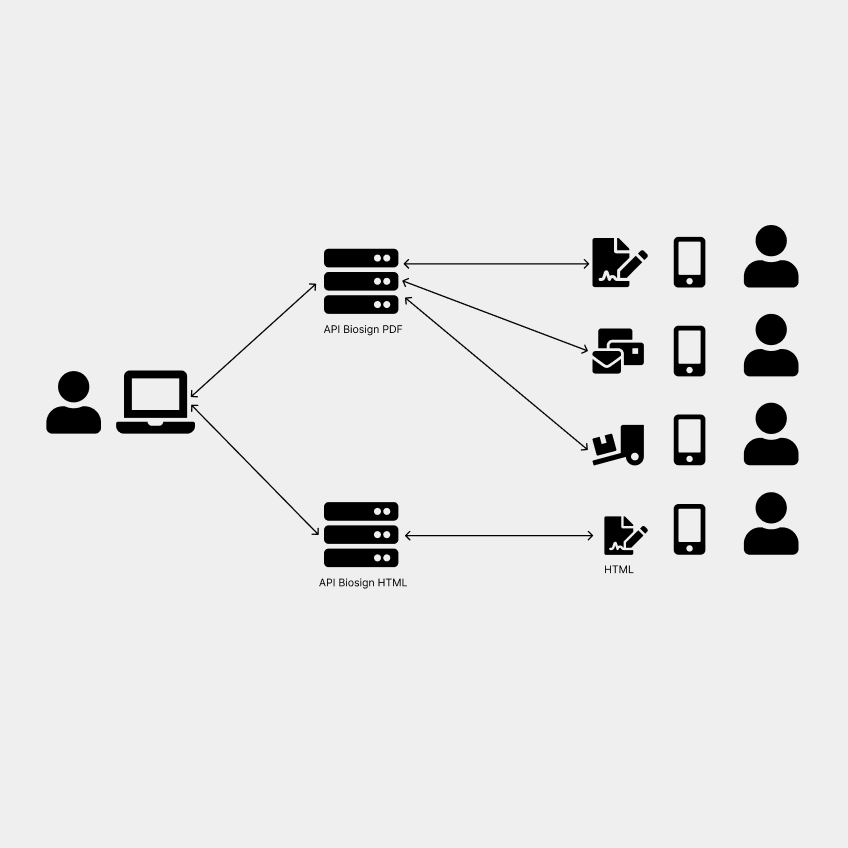
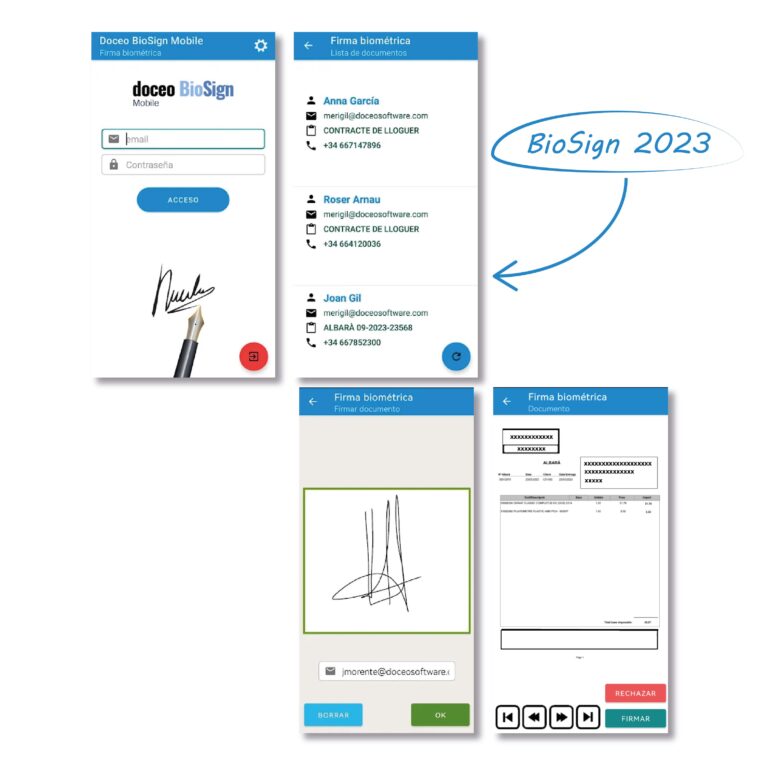
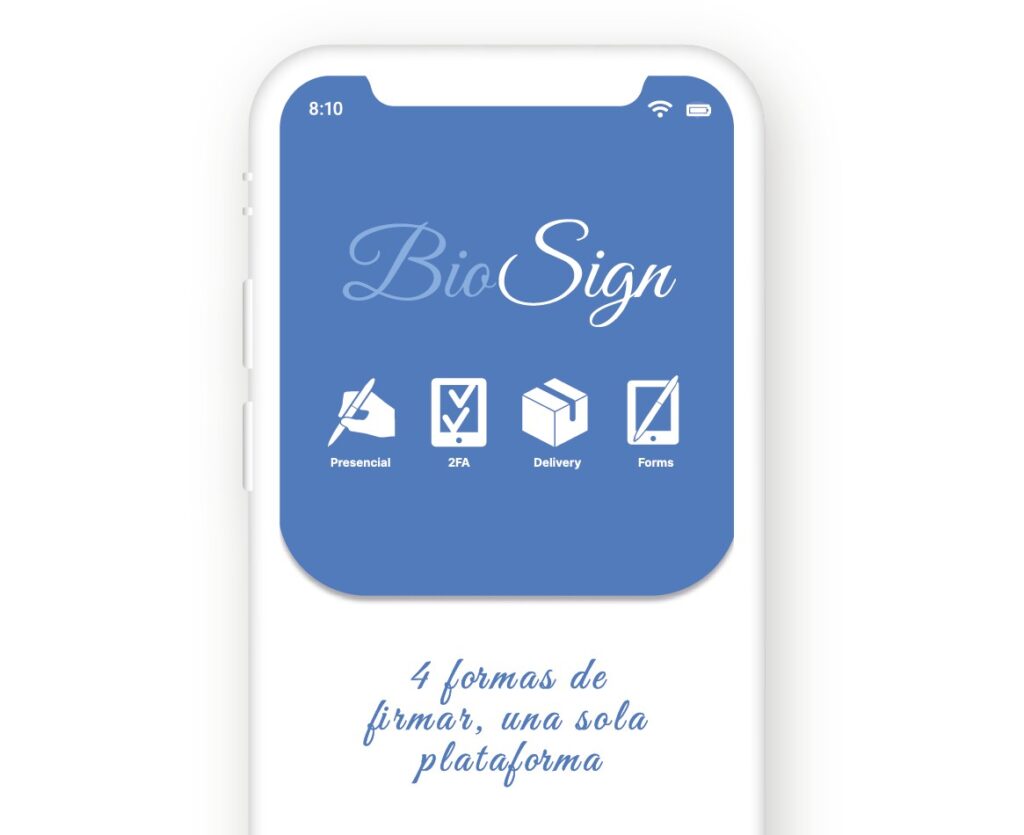
We started with a digital signature system with four modalities, initially designed to integrate with other enterprise document management systems. The original architecture consisted of four separate mobile applications, connected to a Biosign API and a small cloud program called Gestiona, responsible for:
Sending documents (PDF or HTML) to the signature apps.
Receiving signed or rejected documents and storing them with signature evidence.
Sending copies to signers or authorized stakeholders.
Original signature modalities:
In-person signature
Remote two-factor signature (via app)
Delivery or third-party signature
Dynamic HTML form signature
Despite its technical capabilities, the system had usability and adoption limitations.
Results After Two Years
After two years on the market, the initial integration hypothesis did not have the expected impact. Clients were not seeking an integration tool but rather a complete end-to-end signature solution.
This led to the Gestiona module—initially a complement—becoming a key tool for document management and validation workflows, much more relevant than originally planned.
Some users do not understand or use the two-factor APP that only uses email and SMS.
Objectives of the Product Overhaul
Given these evolving needs, we decided to completely revamp the product to deliver a more coherent, scalable, and user-centered solution.
Main objectives:
Merge the four apps into one unified application.
Introduce basic document management and temporary storage features.
Improve usability and transparency in the signing process (users need to see what they just signed).
Ensure regulatory compliance (eIDAS II, privacy, accessibility).
Reimagine the system as a marketing and lead-generation tool.
Design a clear and commercial onboarding flow.
Strategy for the New System
Area
Key Changes
Architecture
Integrate all signature modalities into a single scalable app.
Marketing
Free app (Android/iOS) to attract leads. Registration form sent to sales team.
New functionalities
Ability to create and send signatures from within the app (simplified Gestiona).
Document management
HTML document manager connected to ERP or manually filled by users.
UX/UI
Complete visual redesign while keeping the color palette; simplified logos and icons.
Legal compliance
Enhanced privacy, accessibility, and data security.
Onboarding
Guided experience with a 3-second animation to present the four signature modalities.
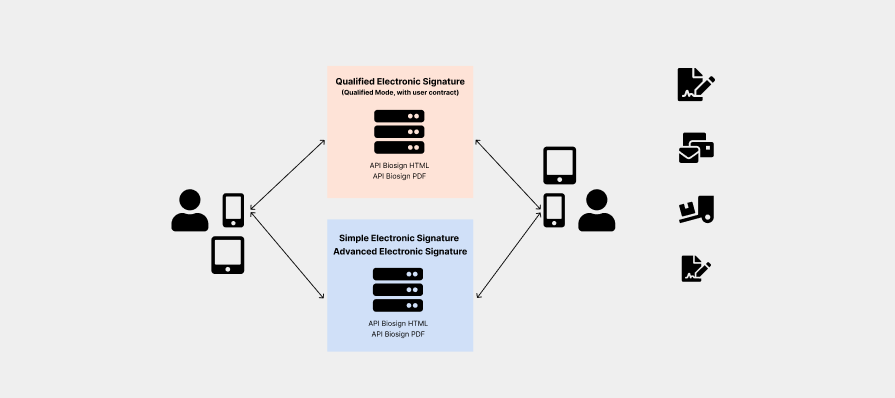
types of electronic signature
type of signature
security level
equivalent to handwritten signature
validated by the state
simple
low
no
no
advanced
medium
valid but requires proof
no
qualified
high
yes
yes (officially recognized by the state)
overview of electronic signature types under eidas / spanish law.
Redesign Outcome
The new design retains the product’s visual identity while delivering:
Clearer and minimalist iconography.
Improved visual hierarchy in onboarding and dashboard.
Greater trust in the signing process.
Scalable architecture ready for new regulations and sectors.
Expected Impact and conclusion
The new design retains the product’s visual identity while delivering:
Clearer and minimalist iconography.
Improved visual hierarchy in onboarding and dashboard.
Greater trust in the signing process.
Scalable architecture ready for new regulations and sectors.
This product overhaul redefines the Biosign signature system as a unified, scalable, and user-centered solution, integrating digital signature, document management, and marketing capabilities into a single ecosystem.
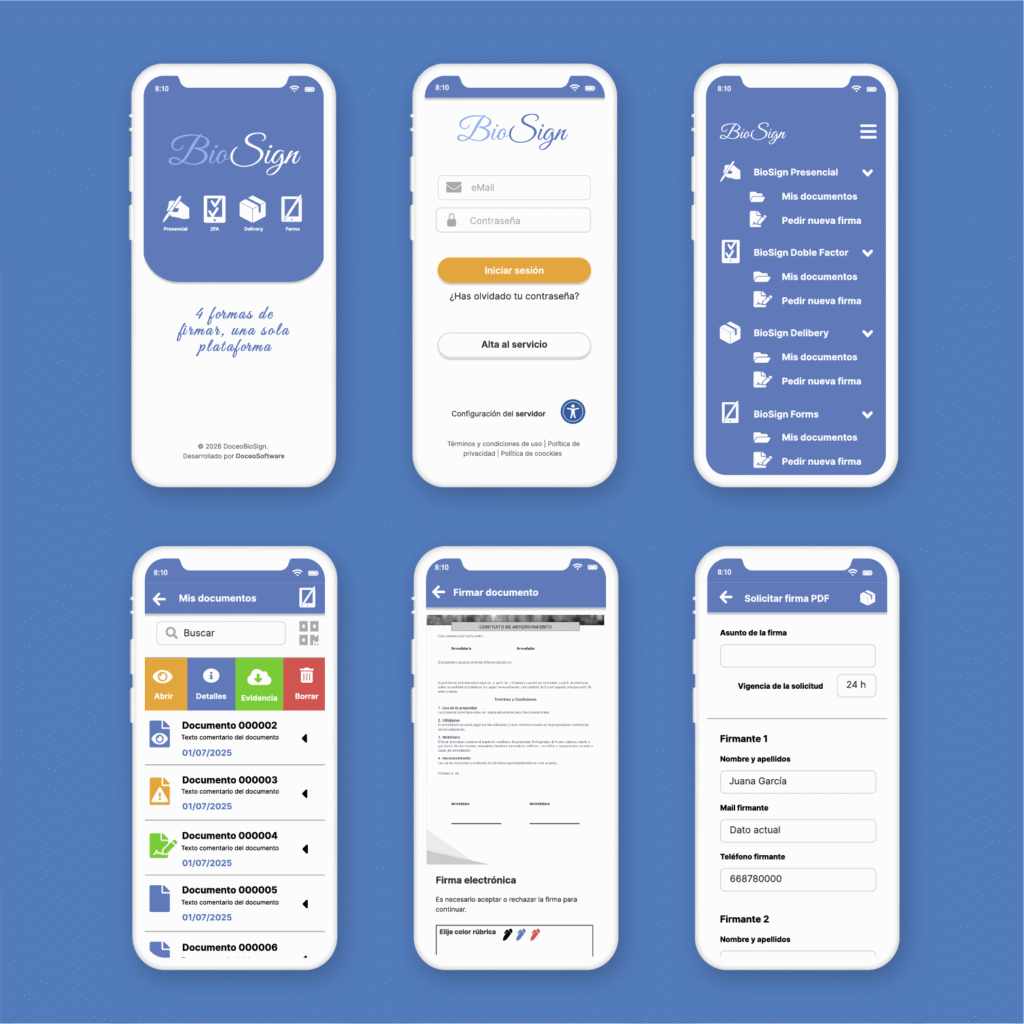
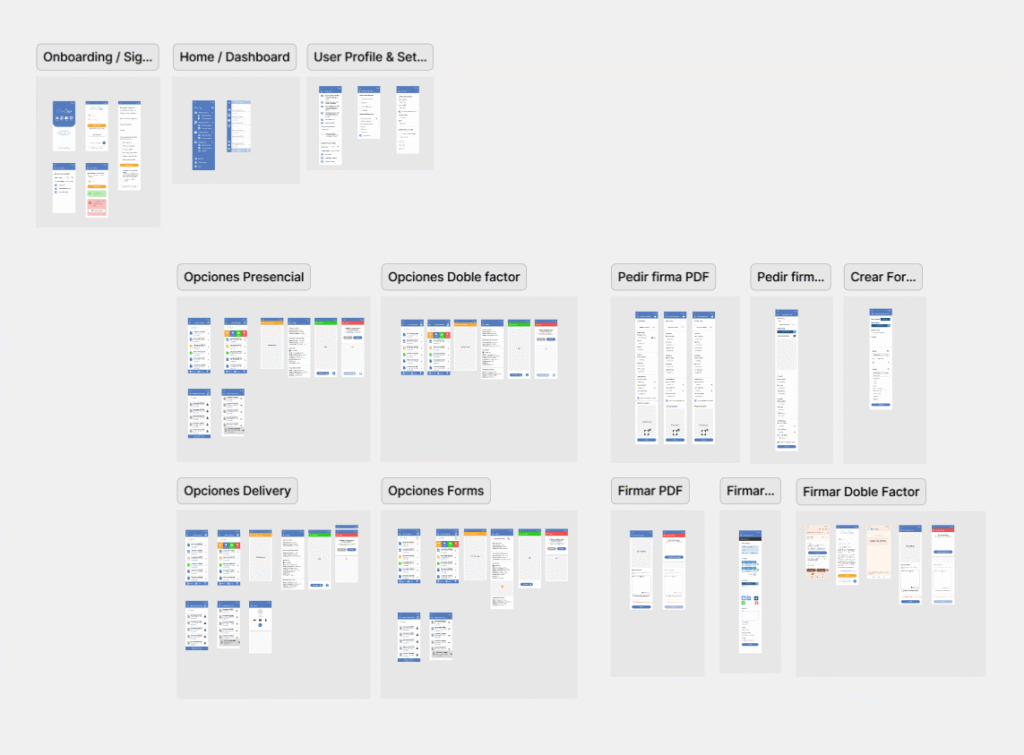
New App Functional Structure
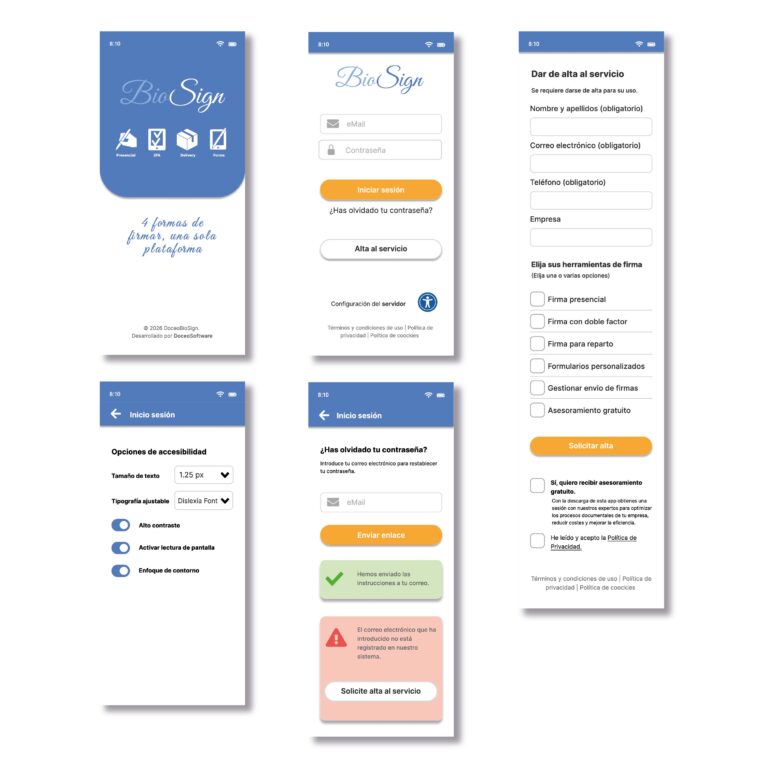
Onboarding Flow
First user experience inside the app:
Welcome screens and feature introductions. Permission requests (camera, files). Direct link to request service activation (sales form).
Authentication Flow
Registration and login screens.
Password recovery.
Server and other configurations for proper functionality and accessibility
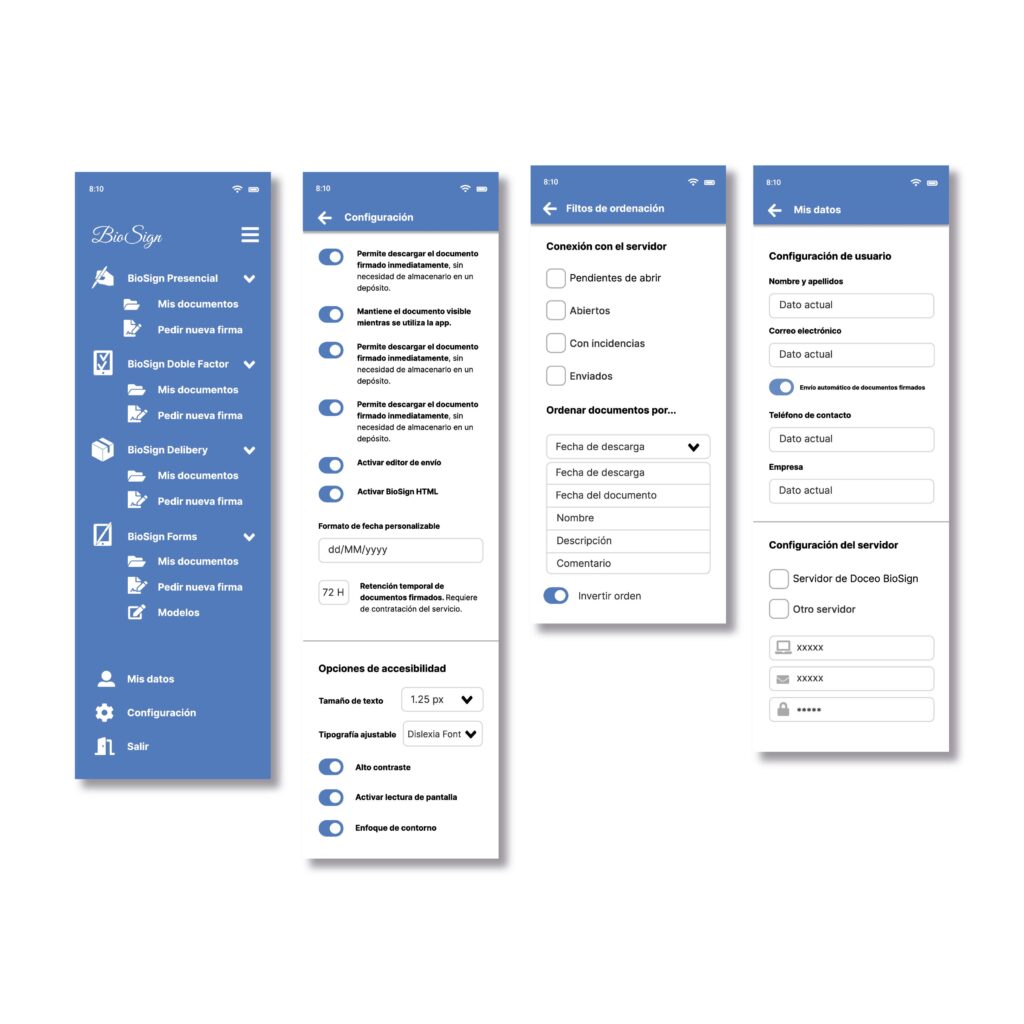
Home / Dashboard
Expandable side menu: The menu displays only the modules that have been contracted. It includes the option to generate HTML templates and send them for signing.
Configuration of various options, such as the document retention period, which can be contracted separately for up to 5 years.
Options for cases with unstable Wi-Fi connections.
Document sorting filter.
Client/user information.
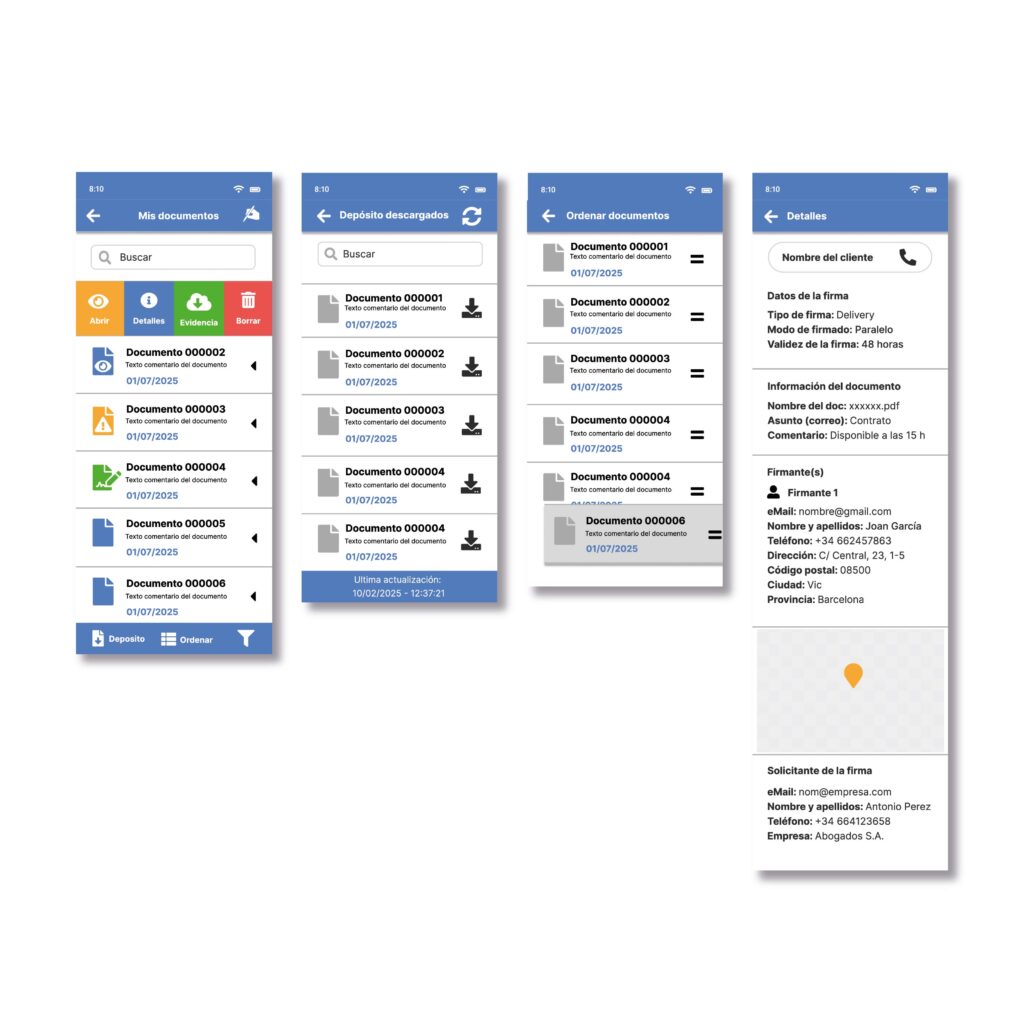
Document Management
View of signed and pending documents. Filters, search, and sharing or deletion options.
Secure temporary storage, ensuring users can access recent documents. Quick access to common actions.
The images correspond to the Delivery mode; there are variations for each mode.
You can check them in the Figma model (Link below).
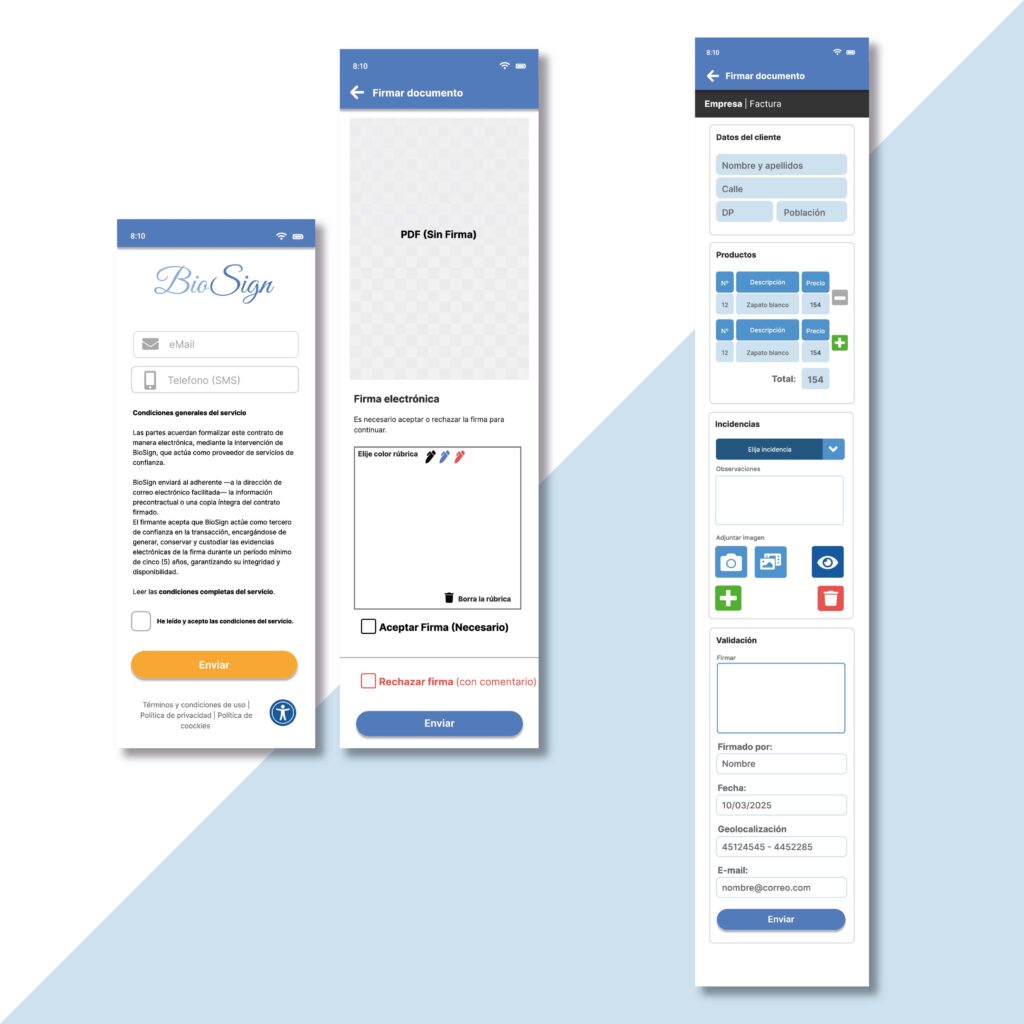
Signature Module
Document selection and signature method choice. Preview and signing interface (simple, advanced, biometric, certificate-based).
Confirmation, download, and sharing options.
The images correspond to two different modes: one is a PDF with 2FA signature, and the other is a customized HTML form. There are variations for each mode.
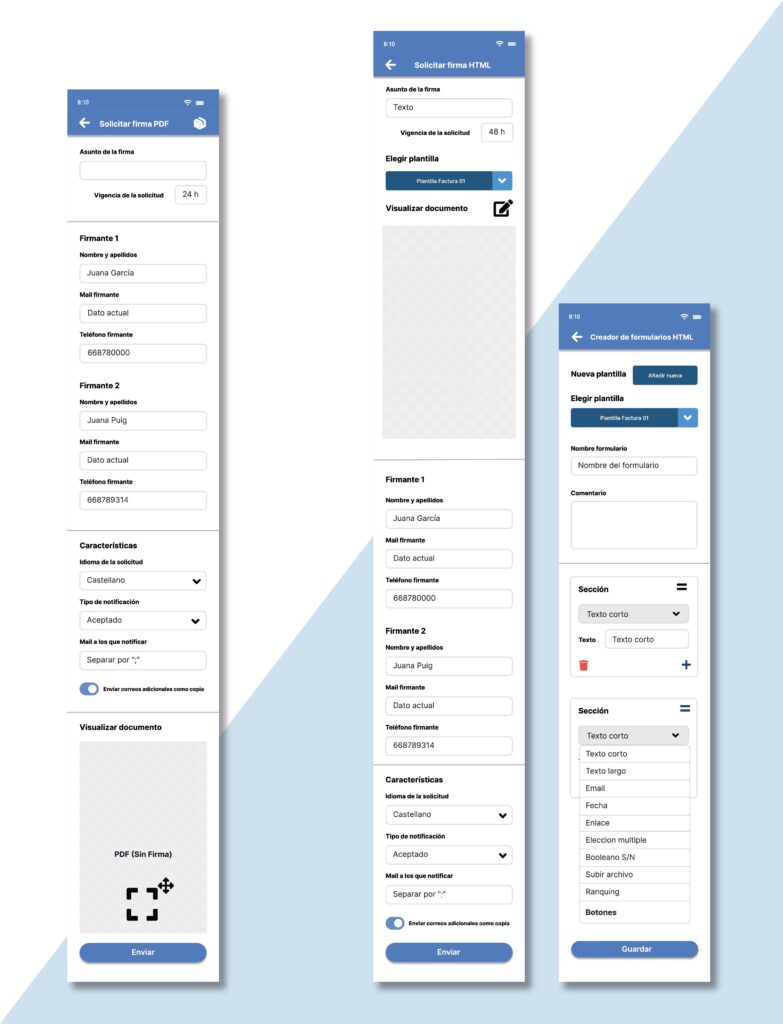
Signature creation modes
Signature creators: two modes within the same application.
Here we can see one for documents with two-factor signatures and another for HTML, along with the
HTML document creator.
Each mode has its own specific variations.
You can check them in the Figma prototype (Link below).
Help & Support
FAQ section.
Contact form and support chat.
Tutorials and knowledge base.
Legal & About
Privacy policy, terms of service, and credits.
App version and compatibility info.
Figma prototype – mid-fidelity version
To explore the full interactive prototype in Figma, please click here.
This application is confidential, and the information it contains must not be shared or distributed.